Attention Authors! Use ORCID!

I've posted before about ORCID. This service will help to identify academic authors uniquely by assigning a persistent digital identifier to each registered author. The semester is over, so you should have some time to follow these suggestions.

1. Register with ORCID.

2. Start using your ORCID in manuscripts, grant proposals, reports, webpages, everywhere!  Publishers like Elsevier, Wiley, and Thomson Reuters will be using ORCID.

3. Pronounce ORCID correctly. Think of the flower, not the fantasy character.

Summer Music

Summertime is here once again. One of the things I remember most from summers past is the music. I spent many a day attending, marching, or performing in a concert. The season provides so many opportunities for attending and participating in music events. With all the local festivals and holidays, there is always somewhere to go to see a parade or a concert. Whether you like jazz, rock, or instrumental, there is something that will fit your fancy. Some of the different concert series in Maryland include First Thursdays Concerts in the Park in Mount Vernon, Groovin' in the Grass in Monkton at the Ladew Topiary Gardens, and the Pier Six Pavilion Concert Series in downtown Baltimore. But what if you are curious about a song you heard?

The Sheridan Libraries has many ways to access all types of music, from viewing the printed sheet music to listening to a recording of the song. Take, for example, Stars and Stripes Forever by John Philip Sousa. You can listen to a recording of it from American Song, or you can view the sheet music with the words from Duke University through American Memory from the Library of Congress. Our own Friedheim Music Library at the Peabody Institute is also another wonderful resource if you are looking to expand your musical knowledge. With large archival collections, some of which are digitized, and access to other collections through various consortia, the Friedheim is the place to go to satisfy your music curiosity. Their summer hours are 9 am to 5 pm Monday through Friday.

Enjoy the summer festivals and the music you find there too!

Hard-boiled and Noir Fiction and Film

Travelling through fetid alleyways in the pouring rain, through thronging cities like beating hearts, and darkened rooms echoing gunshots and last breaths, the fiction and film of the hard-boiled and noir genres bring readers and viewers along for vivid, engrossing, sensual experiences that earlier mysteries neglected in favor of purely intellectual exercises.

Often used interchangeably, the terms noir and hard-boiled actually refer to different kinds of works. While hard-boiled stories tend to deal with detectives confronting violence and organized crime, detectives who all the while comment on both the events transpiring as well as their own experiencing of those events (think Dashiell Hammet’s Maltese Falcon or Raymond Chandler’s The Big Sleep), noir tends to deal with more atmospheric adventures wherein the protagonist is more often a victim or a criminal (think James M. Cain’s Double Indemnity, or the works of David Goodis, upon whose stories the films The Fugitive and Tirez Sur le Pianiste (Shoot the Piano Player) are based). Although noir finds its origins variously in French and American sources, the heart of the hard-boiled story is purely American.

The heyday of American examples of the genres was undoubtedly the 30s, 40s and 50s; nevertheless, modern adaptations both in fiction and film abound. The films of the Coen brothers often draw heavily on the tradition of both noir and hard-boiled stories from America’s past. Perhaps one of the most interesting adaptations of the genres, however, comes not from the US, but rather from the north of Europe in the form of Scandinavian noir.

Scandinavian noir owes much to the traditions discussed above. However, as prime examples of the genre show, there are subtle differences; the writing is often sparse, sharp, simple and realistic and the plots often carry heavy moralistic undertones. Progenitors of the genre include Maj Sjöwall and Per Wahlöö, whose Martin Beck series of novels depict a tumultuous Sweden of the 1960s, bent on revolution and social upheaval. Perhaps more well known examples include Henning Mankell's Wallender series, and Stieg Larsson's internationally best-selling Millenium series, the first of which, The Girl with the Dragon Tattoo has been adapted for the big screen twice in the course of just two years. Clearly the fascination with unsolved murder and illicit dealings is alive, well, and spreading around the globe!

Consumption’s Long Shadow

click any image to enlarge

What does Stephen Crane have in common with Catullus, Molière, John Keats, all six Brontë siblings, Henry David Thoreau, Robert Louis Stevenson, Paul Laurence Dunbar, Anton Chekhov and Katherine Mansfield? Besides the fact that they were all writers… they all died of tuberculosis.

Tuberculosis is commonly associated with writers and other artists—see also Frederic Chopin, Aubrey Beardsley, Vivien Leigh—and, by extension, the bohemian life. You know, picturesque garrets, the back-streets of Paris, quaint taverns and the avant-garde cabarets where young talent congregates…

[screeching halt]

Sorry, that’s the myth of tuberculosis—a romantic decline and a beautiful death. You’ve probably been exposed to this myth: consumption, as it came to be known, for the “wasting away” of the sufferer’s body, has been celebrated, er, depicted in operas like La Bohème and La Traviata, in novels like La Dame aux Camelias (and the many theatrical productions and films made of it) and The Magic Mountain, and in paintings like John Singer Sargent's portrait of a pale Robert Louis Stevenson. In this construction of tuberculosis, the illness was associated with spirituality and creativity—a “white death” that afflicted the young and innocent, that purified its victims of former sins, that gave them a brilliance susceptible to inspiration.

Why the past tense? That’s another feature of the myth of TB: that it is largely a disease of the past. In reality, tuberculosis is on the rise in the twenty-first century worldwide. And the ways it is spread and experienced are far from transcendent. (Perhaps you’ve been following NPR’s series of stories about contemporary TB.)

The fascinating history of tuberculosis—the myth and the reality—will be explored in a free public conversation, Consumption’s Long Shadow: Literature, Science, and Tuberculosis, at the George Peabody Library on Wednesday, June 12, at 6 pm. Yes, free! But do please RSVP so we know how many snacks to make for the reception. You can also do so via Facebook.

Four panelists will talk about tuberculosis as a feature of the literary imagination and as a scientific fact: its impact on writers, its history in Baltimore, and the array of treatments that have been brought to the fight against this ferocious killer. Yours truly will assess the role of TB in the life of Stephen Crane, whose work is on view in the Peabody gallery, in the exhibition For Love or Money: Art, Commerce, and Stephen Crane. Professor Juliette Wells of Goucher College will investigate the attractions of TB as a metaphor for Victorian writers in “The Tell-tale Cough.” Dr. Richard Chaisson, director of the Johns Hopkins Center for Tuberculosis Research, will discuss the real-life context of the disease in the nineteenth century, the work of Hopkins’ own Dr. William Osler, and Baltimore’s pioneering public health measures in “Tuberculosis, Art and Poverty.” Finally, in “Therapeutic Revolutions Revisited,” Dr. Jeremy Greene from the history of medicine will re-evaluate the role of pharmaceuticals in TB treatment in the twentieth century—and in the current pandemic.

Bring your curiosity—no face mask required. And we promise, you’re still allowed to sing along with Mimi and Rodolfo as she dies.

Baltimore From Above, c. 1937-38

A happy conjunction of a US government crop acreage analysis in the 1930s and Baltimore’s City’s uncommon physical incorporation (surrounded by, but not part of, Baltimore County) has provided The Sheridan Libraries with a useful set of aerial map images to download, incorporate into geospatial information programs, or use to compare geographical features over time.

The 1937 - 1938 Baltimore City & Baltimore County aerial maps were originally produced by the United States Agricultural Stabilization and Conservation Service (ASCS) for use in crop and farm acreage analysis. Across the entire U.S., ASCS flew over counties that had a strong economic base in agriculture. Baltimore County, predominantly agricultural then, was viewed aerially from late fall 1938 to early spring 1939 in straight-line patterns. Since Baltimore County surrounds Baltimore City, the city was also covered quite thoroughly during this process.

From the Sheridan Libraries home page, search the “Database” drop-down for JScholarship; click the Communities & Collections link to “Maps and Atlases” and choose “Aerial Photography – Baltimore” and the date 1937. Both the index and the individual flight line images were scanned at about 1200 DPI and rendered in .jpg and .tif formats.

These photographs are valuable in that they:

  • Provide aerial photo documentation of the existing natural and man-made landscape.
  • Identify existing streams, lakes, vegetation coverage, roads, and buildings
  • Offer mathematically rectified images that remove distortion caused by the curvature of the earth. As a result, and due to a similarity in scale, the images can be used in a complimentary manner with the standardized USGS 1:24,000 topographic maps.

Rectification also makes this photography suitable for georeferencing via Geographic Information Systems (GIS) tools, where data sets can be imported to display demographic, health, census, and physical changes in a geographic context.

The library’s collection of images in JScholarship does not include every photograph. However, as each photo includes overlap with the adjoining photos, our holdings offer complete geographic coverage for Baltimore City and selected, incomplete geographic coverage for Baltimore County. At some future date, we hope to fill in the missing gaps in coverage for Baltimore County.

Continue reading

Summer in the Library

I'm always amused by my grad students who ask me each May - what are you doing this summer? Working of course! You may be lighting out for the territory - heading home, off to Europe, Asia, or Latin America, or working someplace exotic. But the library staff will be here in order to make the coming academic year a successful one for you all.

What are we doing while you're vacationing? Here are a few projects for this summer:

  • Tweaking the online catalog. Systems is working with other librarians to make your search even better. Look for clearer onscreen information and more ways to refine your results.
  • Relocating the reference books to A Level, and elsewhere - so you have more space on M Level!
  • Revamping our research guides. They're great already, but online information needs constant updating.
  • Getting reserves material ready for fall. Faculty submit lists all summer, and our staff works diligently to have everything online or lined up for the start of the semester.
  • Analyzing user data, to make informed decisions about library space use, our Information Desk services, the online catalog and article search, and other services.

So enjoy your summer! And rest assured that a team of experts is working behind the scenes to keep the library humming along. Drop us a line, or send us a question - we'll be here to respond!

History of the Library, Part III

click to enlarge

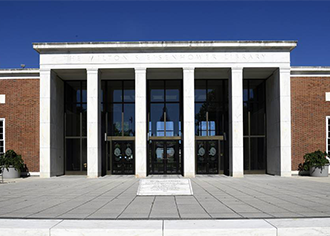
In 1961, following several years of planning, the Trustees approved the construction of a new library facility at Homewood, and settled on the open end of the Keyser Quadrangle, facing Gilman Hall, as the ideal location. Architects Wrenn, Lewis, and Jencks proposed building the library primarily underground. Were such a structure to be built above ground, they felt, its size would dwarf nearby Homewood House. Completed in 1805, Homewood House (now the Homewood Museum) is an excellent example of Federal period architecture. The University had decided in the early 1900s to follow this example for future construction and the architects did not wish to abandon that plan.

This decision to place the library underground gave rise to two enduring legends. These legends presumed that Daniel Coit Gilman left instructions in his will specifying that no structure could rise taller than Gilman Hall, or that nothing could obscure the view of the Gilman clock tower from Charles Street. Neither of these legends has any foundation in truth.

The construction of the new library is well documented through photographs showing first an empty hole, then a structural steel framework, followed by floors and walls enclosing the building. Contractors encountered problems with an underground stream that had to be diverted, as well as the immense pressure of the ground against deep exterior walls. A new type of structural steel solved the latter problem, allowing less internal bulk and resulting in significant cost savings.

In December 1963, Ex Libris devoted an entire issue to describing the new building. In August 1964, staff began moving over one million volumes across the quadrangle from Gilman, and on November 7, 1964, the new library was formally dedicated. In April of the following year, supported by faculty, students, and friends of the University, the Trustees named the new library in honor of President Milton S. Eisenhower. One important difference between the new library and the previous facility was the consolidation of departmental libraries. Despite opposition from some departments, it was more efficient to maintain books in one location rather than to group materials in various buildings according to area of study. With increased emphasis on inter-disciplinary study, divisions between scholarly disciplines became less important.

Library director John Berthel retired in 1973 and David Stam assumed the directorship until 1978. Stam was succeeded in 1979 by Susan K. Martin, followed by Scott Bennett in 1989. Bennett was named director of the Yale library in 1994 and James G. Neal succeeded him a year later.

When the Eisenhower Library opened in 1964, adequate space seemed assured until well into the Twenty-First Century. As in the past, however, the building filled up more rapidly than anticipated; by 1979, space was again at a premium. By necessity, study areas were converted to shelving, and corridors on the stack floors were narrowed to extend each shelf range. These were understood to be stopgap measures and several plans were considered for expanding the existing structure. In 1988, the library celebrated adding its two millionth book.

In 1995, anticipating that electronic access and digital media would slow the growth rate of the book collection, the University leased an off-campus warehouse. Thirty-one years after the Milton S. Eisenhower Library opened, another major shift began, transporting underutilized books and microfilm, as well as manuscripts and university archives, to a satellite facility on Moravia Park Drive. In conjunction with this shift, work began on a long-overdue renovation of levels M, A, and C in the Eisenhower Library, streamlining the existing space to better accommodate the collections as well as growing numbers of staff, students, and faculty.

In 1998, through the generosity of Mr. and Mrs. R. Champlin Sheridan, the library’s endowment received a major boost and in recognition, the Sheridan Libraries were created, comprising the MSE Library, the Hutzler Undergraduate Library (the “Hut”), the John Work Garrett Library at Evergreen, and the George Peabody Library in Mount Vernon.

When the Moravia Park facility became overcrowded, planning began for a larger, purpose-built facility, which opened on the campus of the Applied Physics Laboratory in November 2005. The Libraries Service Center now offers an expandable space to accommodate growing collections, both books and manuscripts, in controlled environmental conditions.

In 2001, James Neal left Hopkins for Columbia University, and Nancy Roderer, Director of the Welch Library, served as Interim Dean for one year. In 2002, Winston Tabb was named Dean of the Sheridan Libraries (now, Dean of University Libraries and Museums). Soon after taking over, he made it a priority to expand the campus library facilities, and from this came the planning and construction of the William R. Brody Learning Commons, which opened in August and was formally dedicated in October 2012. The BLC is intended to facilitate individual and group study, replacing some of the study space that had been lost over the years in the Eisenhower Library building.

A Working Girl Comes Back to Life

“For Love or Money: Art, Commerce & Stephen Crane” is about the work of Stephen Crane, boy wonder of the 1890's literary world. On display at the George Peabody Library through June 14, the exhibition features quite a few phenomenal objects in humble disguises. Maggie: A Girl of the Streets is one of those objects… in more ways than one.

You may have read about Maggie in a previous blog post. Written when Crane was just 21, Maggie is the story of a poor city girl who, friendless and desperate, turns to prostitution to survive. In 1893, no respectable publisher would risk his reputation on such a book. So Crane paid an unknown publisher to print the book, using his own very limited funds. (This publisher did not even put his name in the book, so grave was his concern about its contents — and even Crane used a pseudonym.) As you can imagine, these circumstances did not lend themselves to the production of a durable, handsome object. Maggie was printed on cheap paper with a cheap paper cover and a staple binding.

Cover, before and after

Fast forward 120 years: this modest little paperback is now incredibly rare, precisely because of its lowly origins. Crane couldn’t afford to print that many copies; initially seen as a failure, few copies of the novella were preserved. Those that did survive into the twentieth century degraded over time. Combine its scarcity with its eventual rediscovery as a key text of late nineteenth-century American literature — not to mention the fact that our copy features an inscription by Crane on the cover — and voilà, you’ve got a very special book, albeit one that looks... rather shabby. The Sheridan Libraries’ copy of 1893 Maggie is about as desperate as Maggie herself: faded, fragile, falling apart.

How to display such a delicate object? Enter the conservator.

Rusty staples

Usually it’s the job of a conservator to try to save as much as is possible of the original structure and materials of an artifact. However, sometimes, like with Maggie, something about the original is causing damage. As mentioned above, Maggie has no sewing to hold her together – just two (now rusty) steel staples and some (now brittle) animal glue on the spine. This not only made it tricky to open the book fully, it also led to stress points at the covers such that the back cover was lost and the front cover was fully detached – with first and last pages at risk of being not too far behind.

Photostat "repair," before and after

It also turns out that this is not the first time that Maggie has encountered a “restoration” treatment. Noticing that the bottom half of the last page of the text was missing, someone kindly found another copy of Maggie, took a Photostat image of the missing half of the last page, and used it to fill in the lost piece. Unfortunately, it was left as a negative image – white text on a photographic silver-based black background. The rigidity of the photographic paper was also pulling and damaging the much softer wood pulp paper of the rest of Maggie.

The conservation of Maggie therefore looked something like this:

1)      Carefully lifting what was left of Maggie’s spine and front cover, the book was taken apart, and each page surface cleaned with erasers to remove surface dirt.

2)      As for the old Photostat repair, it was Photoshop to the rescue! Taking a high resolution scan of the Photostat, using color inversion and a bit of touch-up in the software, and then using pigment-based inks printed on Japanese paper of sympathetic weight and color, it was possible to create a more subtle and suitable repair page.

3)      Paper repairs were performed where necessary (using Japanese tissues and wheat starch paste adhesive), and then Maggie’s textblock was put back together – this time by sewing with a chain stitch. This is a very inconspicuous type of sewing that will allow the aesthetics of Maggie to stay the same (flat back), but give her full "openability" – relieving the stresses that the staples were causing.

Sewing and reconstruction

4)      To repair her paper covers (being very careful to test the stability of the Stephen Crane inscription!), Maggie’s remaining front cover was washed, deacidified and then lined onto a mustard-colored Japanese Matsuo Kozo paper, leaving enough space to make the back cover out of this same piece of paper.

5)      Putting Maggie all back together, the top edge of the new cover was trimmed to align with the top of the textblock and attached to the textblock. The remaining edges were trimmed AFTER the cover was in place – just to make sure everything lined up. Finally, the pieces of Maggie’s original spine that were saved were adhered in place.

Title page, before and after

So after her trip to the conservation lab, Maggie is all ready for exhibition and use! Back in one piece, stable for handling, and aesthetically looking a lot like when she was first published. Of course… if you look closely, you can see exactly where all her repairs are. After all, the guidelines for conduct and code of ethics to which conservators adhere say that “Any intervention to compensate for loss should be documented in treatment records and reports and should be detectable by common examination methods.” But I won’t tell if you don’t – the full story will be kept safe in her conservation documentation, just in case anyone wants to know exactly what happened to Maggie on her trip to the “book doctor.”

Behind the Scenes: Sheridan Libraries 24/7, Part 1, Morning

Do you ever wonder what goes on at the library all day and night? Sure you can see students busy working around the clock. But what else is going on? What is happening behind the scenes to keep lights on, computers humming, and all those other things that have to happen to keep the library ready for all you industrious scholars?

We will start bright and early on our peek behind the scenes. At 5:30 A.M. our facilities support unit manager arrives. She checks with the guards to gather reports about what happened overnight, checks the nightly report from the evening supervisor, then does a circuit of cleaning out the day use lockers. She checks the facilities to make sure lights and HVAC are working, no alarms went off that were not addressed, checks to ensure that areas that are alarmed are still safe and sound, and generally makes sure that all is right with the building. She also checks with the evening shift of custodians who have been busy cleaning the building overnight, everything from vacuuming, to washing desks, to cleaning carpets.

By 7:00 A.M. deliveries start arriving for the Cafe.

By 7:30 A.M. Circulation staff start arriving. They check all the drop boxes and check in returned books. They take any lost and found items that were left overnight to Library Facilities and Support Services (valuable items go to Campus Security). Circulation staff are also busy getting set up for the day by running reports that notify patrons of overdue material coming due, hold requests ready for pickup, and the dreaded overdue notice. They also run the pull reports - those items you ask us to pull so you can pick them up or have them delivered to you through Eisenhower Express. We usually have 100-300 items to pull each day. The expired hold shelf is cleared and reports for lost and missing items are dealt with. The staff also reconcile billing and check the updated patron records. Lots of stuff to do to get ready for another busy day.

By 8:00 A.M. the rest of the library staff start trickling in and, for most of the staff, the day begins. Usually, there are not too many students around at this time of the day, but we see the regulars as we get our coffee and do our morning routines. Every morning you can see staff clearing formulas, chemical structures, requests for dates, and what not off the idea walls in the BLC, moving chairs and tables back to their proper places, and picking up things left behind after a long, hard night of studying. Stacks managers are busy reshelving books.

By 9:00 A.M. life in the Library starts to pick up and it is almost in full swing. More staff have arrived, the Circulation desk has been open for an hour, the Information Desk students arrive and open, the AV desk is opening, the Commercial Binding Office is open and ready to take your masterpiece dissertations.

By 10:00 A.M. the Research Consultation Office opens to help you with your research and the Special Collections Reading Room is open for readers using rare books, manuscripts, and archives.

From 11:00 A.M. - 12:00 P.M. the library is humming along. Homewood House Museum and the Evergreen Museum and Library opened at 11:00. Librarians are teaching classes (we teach over 300 classes a year). Instructional technologists from the CER are meeting with faculty to discuss digital course enhancements, managing the Technology Fellowship Program, collaborating with faculty on grant projects, and offering structured opportunities for faculty to learn about cutting edge educational innovations.

Stay tuned to learn what happens throughout the rest of the day!

Paving the Way for Shorter Lines at Circulation

Starting today, May 28th, the MSEL Circulation desk will be changing its full-service hours as a pilot program which will last through the summer and fall semesters.

Why are we changing our full-service hours? The numbers show that on an average day the busiest times at the Circulation desk are between 11 am and 7 pm. By changing our hours, we will have more staff coverage at peak times, hopefully affording you better, faster, and more efficient service when you need it.

But wait, what if you’re working late and want to check out reserve books, Interlibrary Loan books, chargers, books on hold, or books from the stacks? No need to worry! Student assistants will be available to complete all of these transactions at the Circulation desk until 10 pm on Fridays and Saturdays in the summer and until midnight every other night during the summer and fall semesters. And, of course, if you’re checking out books from the stacks, don’t forget that there are three self-check-out machines, two in the BLC and one in MSEL.

During the summer, the full-service Circulation hours will be:

  • Monday-Thursday: 8 am to 8 pm
  • Friday: 8 am to 6 pm
  • Saturday: 10 am to 6 pm
  • Sunday: 1pm to 9pm

During the fall semester, the full-service Circulation hours will be:

  • Monday-Thursday: 8 am to 8 pm
  • Friday: 8 am to 6 pm
  • Saturday: 10 am to 6 pm
  • Sunday: 10 am to 8 pm

Questions? Comments? Concerns? We welcome your feedback at circmail@jhu.edu.